6 Best Guitar Practice Routine Apps to Plan and Track
The best guitar practice routine app is the one that fixes the job you are actually failing at: deciding what to practice, structuring a session, or recording that it happened. MemoRep suits players who want the app to schedule what to revisit and when. Riff Quest suits players who want to build and log their own sessions for free. JustinGuitar suits beginners who want a free course with a built-in planner. Yousician suits people who need scores and streaks to show up. Songsterr and Ultimate Guitar suit players whose routine is mostly songs.
Most guitarists do not lack motivation. They lack a system. You sit down, stare at a list of songs, drills, and half-learned pieces, and spend the first stretch of your session choosing. A week later you notice that something you worked hard on has gone rusty. Many apps promise to fix this, but most are lesson platforms or tab libraries, and only a few help you plan and track a routine.
This list covers six apps, ranked by how directly they handle planning, structure, and tracking. For each one you get how it works, who it suits, and what it costs, and a comparison table follows at the end. MemoRep is our own app and sits first, so weigh that as you read. None of these apps replaces a teacher, and that includes ours.
1. MemoRep
MemoRep is a spaced repetition practice app that tells you what to practice next and when, so planning your routine stops being your job.
How it works
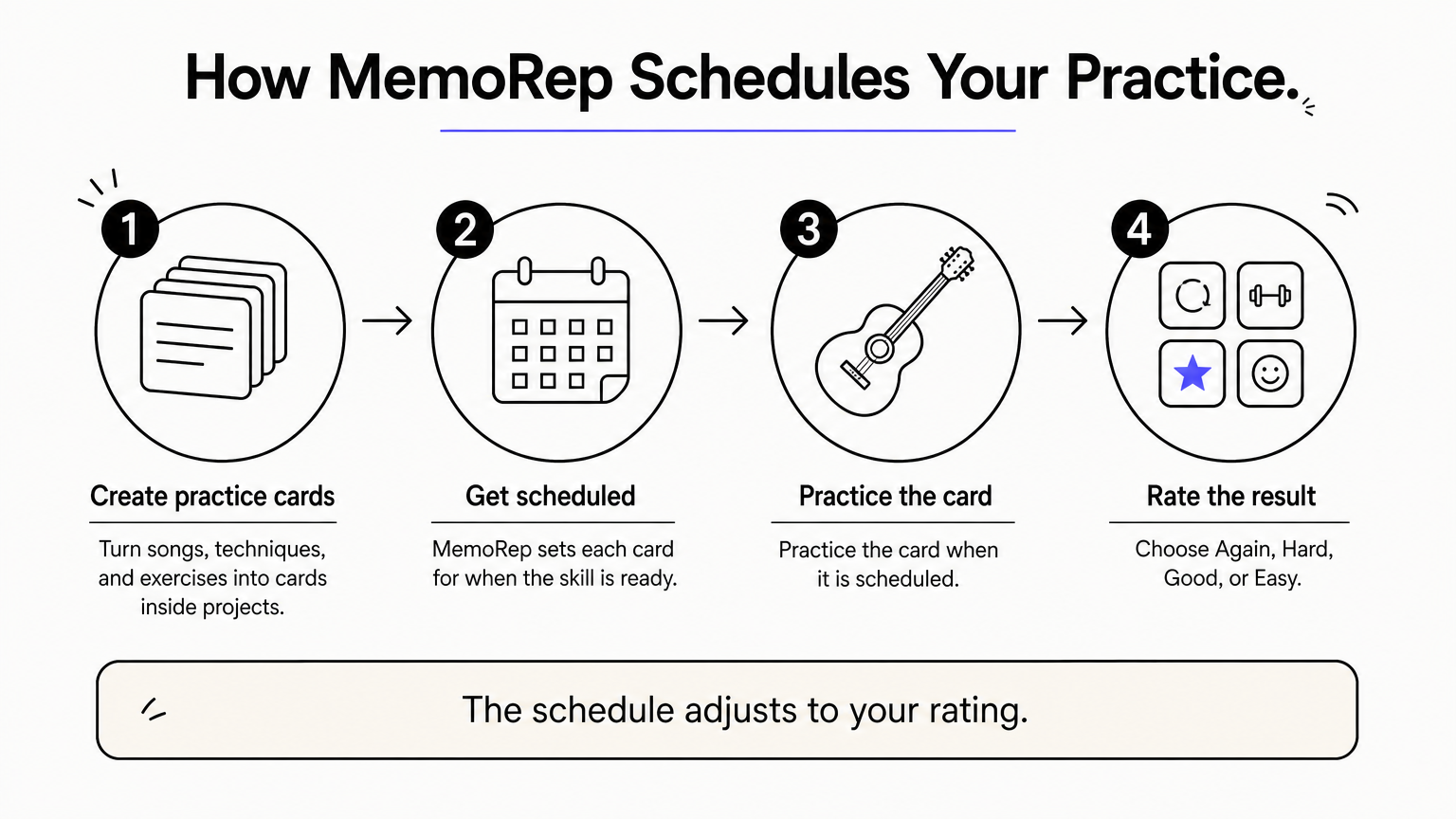
You turn songs, techniques, and exercises into practice cards and organize them inside projects. MemoRep schedules each card for the moment a skill is ready for another pass, using spaced repetition principles built on the Ebbinghaus forgetting curve and the SuperMemo SM-2 algorithm. After you practice a card, you rate it Again, Hard, Good, or Easy, and the schedule adjusts to that rating.
- Cards grouped into projects
- Daily practice notifications
- Progress tracking and visualization
MemoRep decides what you revisit next, so your session starts with playing instead of choosing.
Who it suits
MemoRep fits players with a growing pile of material who find that skills fade when they are not revisited. If you carry a repertoire, a set of drills, and a few long-term projects, the scheduling removes the decision fatigue of juggling them. It also works for other practical skills, so a guitarist who sings or plays a second instrument can keep everything in one place.
It is deliberate about what it leaves out. MemoRep never gives lessons, theory, or technique instructions, because that is a teacher's job. Treat it as the scheduling layer on top of whatever course or teacher you already use.
Cost and limits
MemoRep is free during its limited beta. The first 200 users get completely free premium access, direct influence on product features, priority support, and early access to updates. Check the MemoRep site for current platform availability.
- You judge your own performance with the four ratings, so the schedule is only as honest as you are
- It does not supply content, so you bring the songs and exercises
- Beta spots are limited
2. Riff Quest
Riff Quest is a free browser-based tool for building practice sessions and keeping a record of them.

How it works
You pick exercises from a built-in library, which its makers describe as more than 230 exercises with animated tabs and a metronome, or you arrange your own into a plan. It also imports Guitar Pro files, so your own repertoire becomes practice material. After a session you open a manual log and enter how long you played and how the time split across areas such as technique, theory, hearing, and creativity.
- Session planner built from exercises
- Guitar Pro file import
- Practice history with totals and an area breakdown
Riff Quest records effort, not improvement, and the minutes are only as accurate as you make them.
Who it suits
Riff Quest suits players who like to assemble their own sessions and want a history that shows where the hours went. If you suspect you spend almost all your time on one area, the percentage split makes that visible. Players who want the app to schedule revisits automatically will find the manual approach slower.
Because you type the minutes yourself, nothing is measured for you. It is a notebook with structure, not a coach. Players who want a guided beginner course will need to pair it with another source.
Cost and limits
It is free, and its makers state that practice tracking and the exercise library are not paywalled. It runs in a web browser, which also makes it usable on Android devices without a separate download.
- A newer platform with a smaller community song library
- No structured beginner course
- No automatic scheduling of what to practice next
3. JustinGuitar
The JustinGuitar app is the strongest free pick for beginners who want a course and a planner in one place.
How it works
Justin Sandercoe's free curriculum runs through structured beginner grades, and a song player lets you adjust the tempo. The planning piece is My Practice Assistant, which builds a personalized list of exercises with tempos and notes, so you work from a list instead of improvising each session. The app runs on iOS, Android, and the web.
- Graded course with free content
- Practice Assistant for personalized exercise lists
- Built-in tuner and song player
JustinGuitar is the rare app where the free tier is complete enough to build a routine around.
Who it suits
It suits complete beginners who do not know what to work on and want a teacher's ordering of the material without paying up front. It also suits anyone who searched for the Justin Guitar app by name and wants to know if it covers planning. It does, within the course.
Players past the early stages may find the lesson-led structure limiting. Whether the app keeps a timed history of your own sessions is unclear from its public material, so do not count on it as a practice log.
Cost and limits
Extensive course content is free, and a subscription unlocks additional features. The interface is plainer than gamified rivals.
- Some features sit behind the subscription
- Planning is tied to the course exercises
- Less motivation machinery than Yousician
4. Yousician
Yousician turns practice into a game, scoring your playing in real time so you have a reason to come back daily.
How it works
The app listens through your device microphone and scores timing and accuracy as you play along with its lessons. You follow a lesson path, earn points, and build streaks. It supports several instruments, and it runs on iOS, Android, Windows, and macOS.
- Real-time scoring through the microphone
- Lesson path with progress tracking
- Streaks and challenges
Yousician replaces a plan with a scoreboard, and for some players the scoreboard is what actually gets them playing.
Who it suits
Yousician suits players for whom the problem is showing up, not planning. If a streak counter keeps you consistent, it earns its place. It is a lesson platform first, so the structure comes from its path rather than from a routine you design.
If you want to schedule your own repertoire or log custom sessions, it is the wrong shape. Microphone scoring also works best in a quiet room.
Cost and limits
Free access is limited. Yousician does not publish one rate card, and plans are priced by country, so check the price in your own app store before committing.
- Own-session history is not its focus
- Pricing varies by region
- Depth thins for players who want more than the lesson path
5. Songsterr
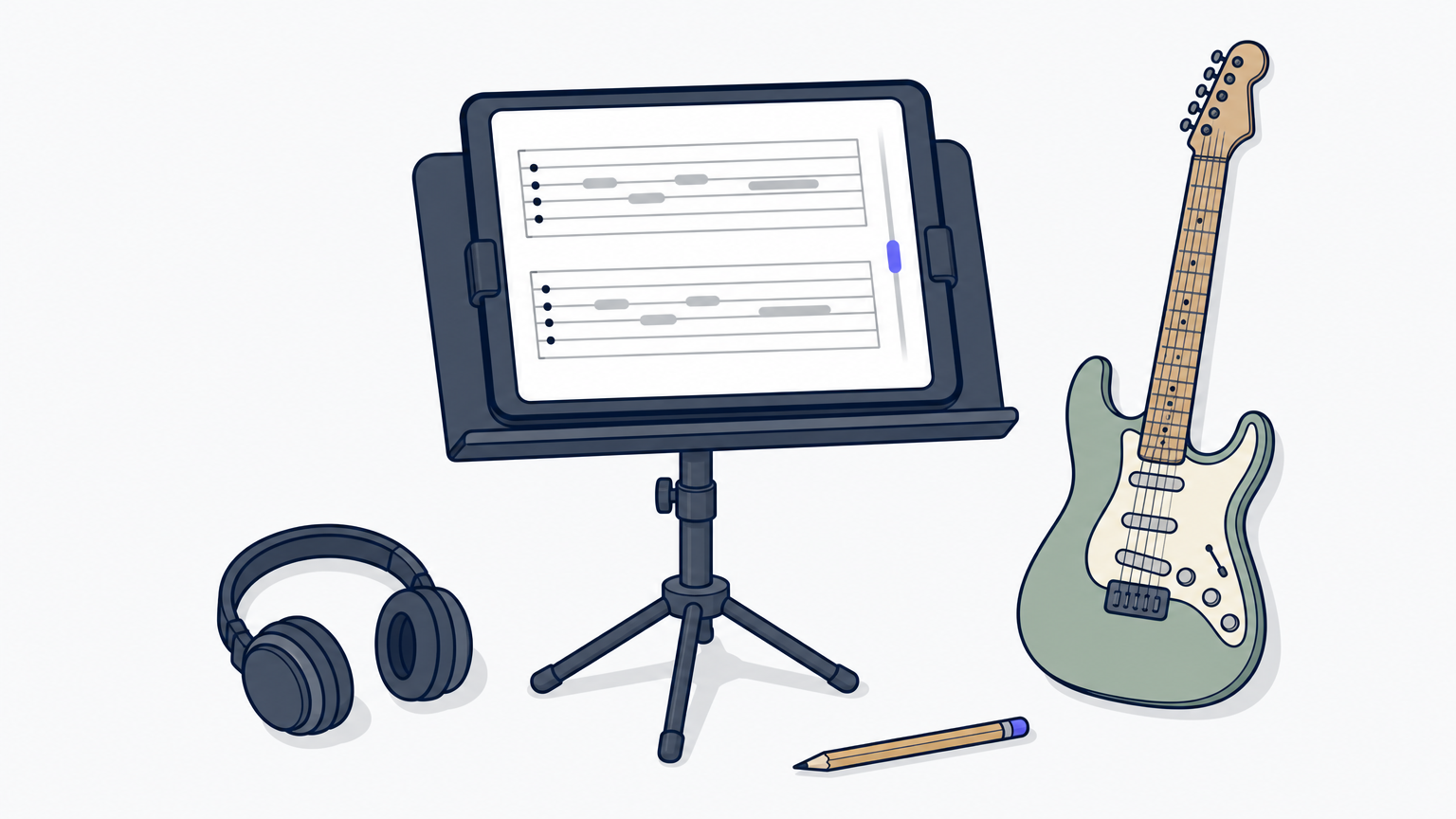
Songsterr is a tab player built for learning songs, with the practice controls a routine of repertoire work needs.
How it works
Tabs play back as MIDI, and you can slow them down, loop sections, and solo or mute individual instruments. That makes it useful when your routine is built around specific songs. It does not plan sessions or log your practice, so it supplies material rather than structure. It runs on iOS, Android, and the web.
- Playback with speed control and looping
- Solo and mute for each track
- Smaller catalog with tighter quality control
Songsterr gives you the song to practice, not the schedule for practicing it.
Who it suits
It suits players whose routine is mostly learning and polishing songs, especially full-band arrangements where you want to isolate one part. Pair it with a planner such as MemoRep or Riff Quest if you want the revisiting handled for you.
Players who need a tab for almost any song, however obscure, may hit gaps in the catalog.
Cost and limits
Browsing is free, while the paid Plus plan unlocks the full set of playback tools and offline access. Check the current price in your store.
- No planning or session history
- The most useful practice controls are on the paid tier
- Catalog is smaller than the biggest tab sites
6. Ultimate Guitar
Ultimate Guitar is the biggest tab and chord library, and a sensible companion when your routine needs a constant supply of songs.
How it works
The app hosts a very large catalog of community-submitted tabs and chord charts, often in several versions of the same song. A built-in metronome, tuner, and transposing tools help you adapt a chart to your level. It runs on iOS, Android, and the web, and it does not plan or log practice.
- Huge catalog across genres
- Transpose, tempo, and metronome tools
- Multiple versions of popular songs
Ultimate Guitar answers what to play, never when to play it.
Who it suits
It suits players who want breadth: exploring a genre, grabbing a chart before a jam, or finding an easier version of a song. Because the tabs are community-submitted, accuracy varies, so cross-check a version when it matters.
Players who want a planner will need a second app.
Cost and limits
A large amount of tab and chord content is free. The paid Pro tier unlocks playback and offline saving, and prices differ by region.
- Accuracy varies by submission
- Playback and offline saving need Pro
- No practice planning or history
How to choose a guitar practice routine app
Pick by the job you need done, then add at most one more app. The table sets the six options side by side on the criteria that matter for a routine.
Side-by-side comparison
| App | Best for | Planning | Tracking | Free access | Platforms |
|---|---|---|---|---|---|
| MemoRep | Knowing what to revisit and when | Automatic spaced scheduling | Progress tracking and your ratings | Free during beta (first 200 users) | See the MemoRep site |
| Riff Quest | Building and logging sessions | You arrange exercises | Manual log with time and area split | Free | Web |
| JustinGuitar | Beginners wanting a free course | Practice Assistant list | Course progress | Extensive free content | iOS, Android, Web |
| Yousician | Streaks and scoring | Lesson path | Lesson progress and scores | Limited | iOS, Android, Windows, macOS |
| Songsterr | Learning songs | None | None | Free browsing, paid Plus | iOS, Android, Web |
| Ultimate Guitar | Finding tabs and chords | None | None | Free tabs, paid Pro | iOS, Android, Web |
Planning is the strongest differentiator. Only MemoRep schedules for you, and only MemoRep and Riff Quest are built primarily around practice rather than lessons or songs.
Match the app to your problem
- "I never know what to practice next": MemoRep schedules it, or JustinGuitar's Practice Assistant builds a list.
- "I practice but can't see where my time goes": Riff Quest's manual log and area split.
- "I need a free app for beginners": JustinGuitar, with MemoRep's free beta as the scheduling layer.
- "I need motivation to show up": Yousician.
- "I need songs": Songsterr for accuracy and isolating a part, Ultimate Guitar for breadth.
- "I'm on Android": JustinGuitar, Yousician, Songsterr, and Ultimate Guitar all have Android apps, and Riff Quest runs in the browser.
Two more apps are worth knowing. Simply Guitar offers guided beginner lessons with up to five profiles on one account and a limited free tier. The Gibson App gives real-time note feedback on real songs, with a seven-day free trial before a subscription starts.
Keep your stack small
One learning source plus one organizing tool covers most players. A free stack of JustinGuitar for the course and MemoRep during its beta costs $0 a month. Adding a tab app makes sense only when you have a specific song the course does not teach.
Every extra app is another thing to maintain, and a routine that turns into admin gets abandoned. The best app is the one you open daily.
Pick one job, then stop shopping
Choose the app that solves your real problem. If you forget what needs revisiting, you need scheduling. If you cannot see where your hours go, you need a log. If you do not know where to start, you need a course. Add a tab source only when a song demands it, and keep a teacher in the loop for anything the apps cannot see.
MemoRep covers the scheduling job: it tells you what to practice next and when, so you spend your time playing. To see how the approach works, read how MemoRep works, or join the free beta while spots last.