6 Best Spaced Repetition Apps for iPhone in 2026
You've got a stack of decks in Anki or Quizlet and a phone full of reminders, but you're still not sure which app actually fits how you study. Searching for a spaced repetition app ios should give you a straight answer, not another vague roundup of "top 10 productivity tools." This list skips the filler and focuses on apps that actually run on your iPhone and use real spaced repetition science, not just a countdown timer.
If you're memorizing vocabulary, exam facts, or trivia, a flashcard-based app is exactly what you want, and we'll cover the best iphone spaced repetition app options for that, alongside our broader list of the best apps to study and memorize faster. But if you're practicing a musical instrument, a sport drill, or any hands-on skill, flashcards won't cut it. Those skills fade differently than facts do, and scheduling them needs a different approach.
Below, you'll find six apps worth trying in 2026, including classic flashcard tools and one built specifically for practical skill practice like ours at MemoRep. We'll break down what each one does well, who it fits, and where it falls short, so you can pick the right one on the first try instead of the third.
1. MemoRep for musicians and practical skill practice
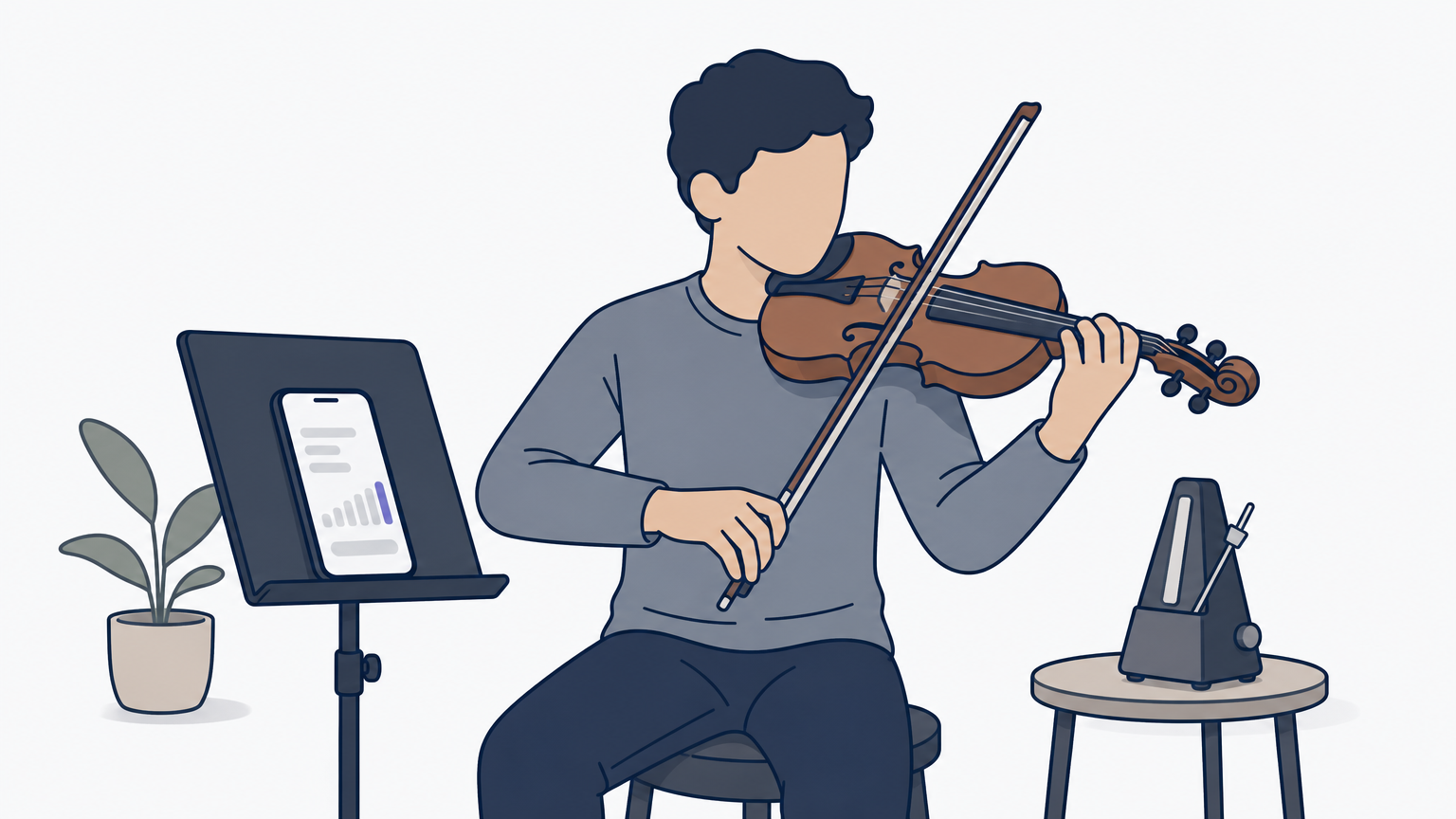
Most apps on this list were built for flashcards, and they show it the moment you try to schedule anything that isn't a fact. MemoRep takes a different approach: it's a spaced repetition app iOS users can actually apply to scales, repertoire, serve tosses, or any drill that needs your hands and ears, not just your memory of a definition. Instead of cards with a question and answer, you build practice cards for skills, and the app decides when each one needs another rep before it goes rusty.
How it works
MemoRep runs on the same math behind classic flashcard apps, the Ebbinghaus forgetting curve and the SuperMemo SM-2 algorithm, but applies it to practice sessions instead of recall quizzes. You organize your instrument, sport, or skill into a project, add practice cards for each technique or piece, and rate each session Again, Hard, Good, or Easy. The adaptive scheduling engine uses that feedback to push easy material further out and bring struggling skills back sooner, so you're never guessing what to work on today.
A metronome keeps your tempo steady; MemoRep keeps your entire practice routine on schedule.
Best for
This app is built for musicians juggling scales, etudes, and repertoire across multiple instruments, the same crowd looking for apps that track practice habits, but it works just as well for athletes drilling technique, dancers maintaining choreography, or anyone with a hands-on skill that decays without regular touch. If your current system is a sticky note or a mental list of "things I haven't practiced in a while," this replaces that guesswork with a real schedule. It's not for pure fact memorization: if you're cramming vocabulary or exam trivia, skip to the flashcard apps further down this list.
Pricing
MemoRep is currently in a limited beta, and the first 200 users get free premium access with no catch. There's no credit card wall to test the core scheduling engine, the practice card system, or the reminder notifications that nudge you when reviews are due. Once the beta fills up, pricing will shift to a standard subscription model, so joining now locks in the best deal you'll get.
2. Space for free AI-generated flashcards
Space built its name on a simple pitch: type or paste your notes, and the app generates flashcards for you using AI. It's a solid pick if you're studying dense material like biology terms or history dates and don't want to spend an hour writing individual cards by hand. As a spaced repetition app iphone users lean on for exam prep, it trades some scheduling precision for speed of card creation.
How it works
Underneath the AI generation, Space uses a spaced repetition algorithm to space out review sessions based on how well you know each card. You rate your recall after each review, and the app pushes easier cards further into the future while keeping shaky ones in rotation. Notifications remind you when a deck is due, so you're not relying on memory to remember to review your memory tools.
Let the AI write your first draft of cards, then let the algorithm decide when you see them again.
Best for
Students cramming for exams or anyone who finds writing flashcards tedious will get the most value here. It suits fact-based learning, vocabulary, and definitions, not physical skills or techniques that need hands-on repetition.
Pricing
Space offers a free tier with core features and AI generation limits. A paid subscription unlocks unlimited AI card creation and removes review caps.
3. AnkiMobile for die-hard Anki users
AnkiMobile is the official iOS app for Anki, the open-source flashcard system that's powered serious language learners and med students for over a decade. If you already have decks built from years of studying, or you're active in communities that trade shared Anki decks, this is the app that keeps that ecosystem running on your iPhone without missing a feature.
How it works
AnkiMobile runs the same SM-2 based algorithm that desktop Anki uses, one of several scheduling algorithms and how they work, syncing your review history and card scheduling across every device through AnkiWeb. You rate each card Again, Hard, Good, or Easy, and the app recalculates the next review interval instantly. Deep customization options let you tweak intervals, card templates, and deck settings down to the smallest detail, which is exactly why long-time users won't switch away.
AnkiMobile rewards the learners willing to tinker; everyone else finds the settings menu overwhelming.
Best for
Serious students who already know Anki's syntax and want full control over their scheduling algorithm. It's a poor fit for beginners who just want something that works out of the box, and it's not built for practical skills like an instrument or a sport drill.
Pricing
AnkiMobile costs a one-time $24.99 purchase on the App Store, with no subscription. The desktop and Android versions remain free.
4. SmartCards+ for importing Anki or Quizlet decks
SmartCards+ solves a problem a lot of people run into when switching phones or apps: you've already built decks elsewhere and don't want to rebuild them from scratch. This spaced repetition app iphone users often pick after outgrowing Quizlet works as a native front end for decks pulled straight from Anki or Quizlet, keeping your existing study material intact instead of forcing a fresh start.
How it works
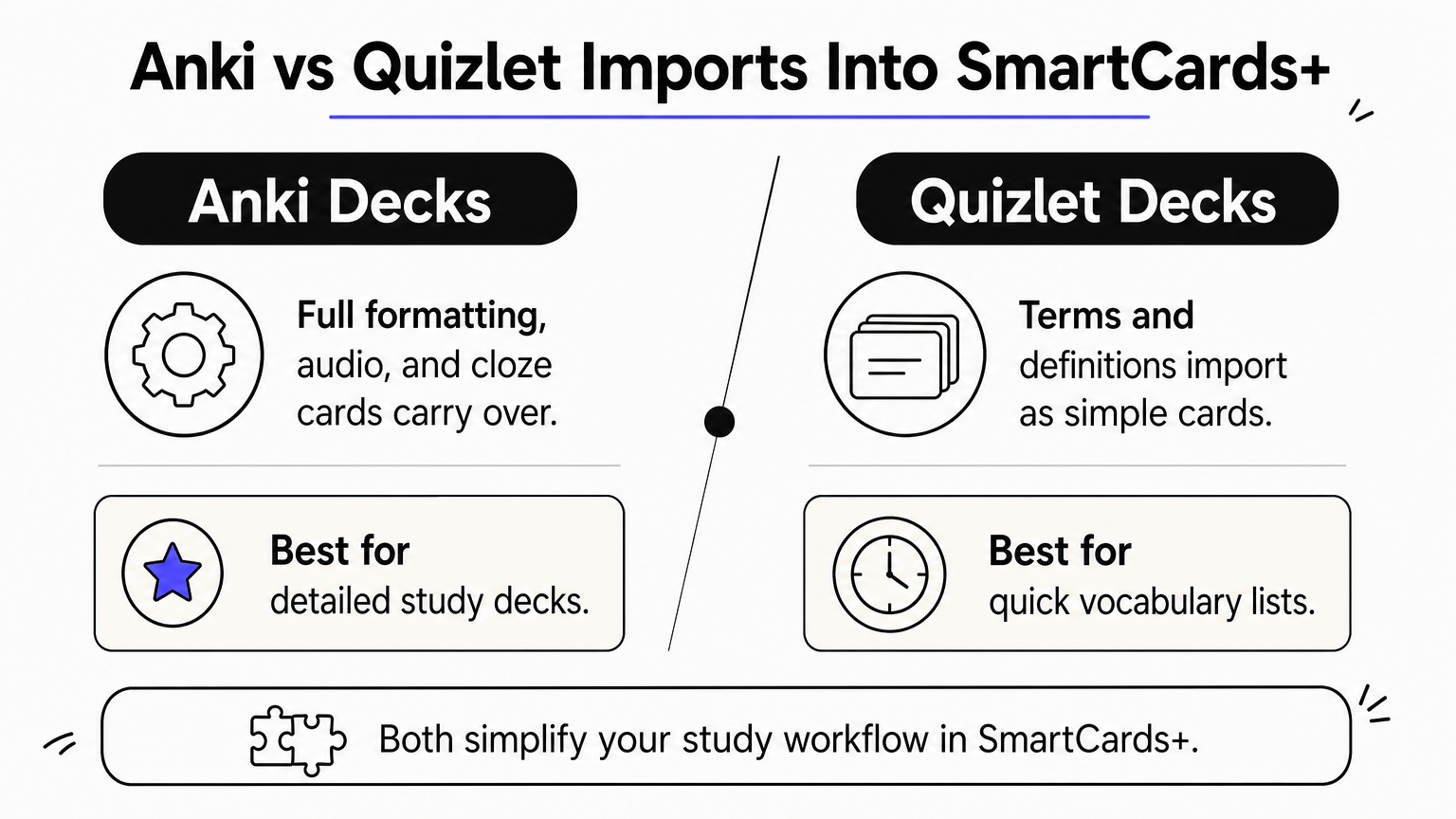
Import happens through a simple file transfer, you export your deck as an .apkg or .csv file, then load it into SmartCards+ where it applies its own spaced repetition scheduling. The app supports images, audio, and cloze deletions, so decks built for language vocabulary or anatomy terms carry over without losing formatting. Review sessions follow a standard Again, Hard, Good, Easy rating, and the app adjusts future intervals based on your answers.
A good import tool saves you the hours you'd otherwise spend rebuilding decks by hand.
Best for
Anyone migrating away from Quizlet or supplementing Anki with a cleaner native iOS interface will find this useful, and it's worth seeing how Anki and Quizlet stack up head to head before you commit. It's a strong middle ground for students who want Anki's underlying logic without touching Anki's more technical settings menu.
Pricing
SmartCards+ offers a free version with import limits and a one-time paid upgrade that unlocks unlimited decks, audio support, and advanced statistics.
5. FlashRecall for turning notes into instant flashcards
FlashRecall targets a specific bottleneck: you take notes in class or during study sessions, but converting them into flashcards feels like a second job. This app scans your typed or handwritten notes and generates cards automatically, cutting out the manual copy-paste work most spaced repetition app ios users dread before they even start reviewing.
How it works
You upload notes as text, PDF, or photos of handwritten pages, and FlashRecall's parsing engine identifies key terms and definitions to build cards from. Once generated, cards enter a standard spaced repetition queue where you rate recall after each review, and the algorithm adjusts future intervals accordingly. Editing generated cards is straightforward if the parsing misses context or grabs the wrong phrase.
The fastest way to build a deck is to stop building it by hand.
Best for
Students who take heavy notes, whether typed in class or scribbled in a notebook, and want those notes turned into review material without retyping everything. It works best for coursework with clear definitions and terms, less so for open-ended concepts that need nuance. Like the other flashcard tools here, it has no answer for musicians or athletes tracking physical skill decay.
Pricing
FlashRecall offers a free tier with a monthly cap on note-to-card conversions. A paid subscription removes that cap and adds batch uploads for larger note sets.
6. Mochi for simple, distraction-free studying
Mochi strips flashcard apps down to the basics: no AI generation, no note scanning, just a clean editor and a review queue. If the last few apps on this list felt cluttered with extra features you'll never touch, this spaced repetition app iphone fans favor is built for people who want to write cards, review them, and close the app.
How it works
Cards in Mochi use plain Markdown, so you can format text, add images, or embed code blocks without fighting a rigid template editor. Reviews follow the familiar Again, Hard, Good, Easy scale, and the app schedules future sessions using a standard spaced repetition algorithm behind the scenes. Sync works across iPhone, iPad, and desktop through your own account, and decks stay organized in simple folders instead of nested tag systems.
A distraction-free app works because there's nothing left to distract you.
Best for
Writers, developers, and self-taught learners who like building their own card templates will feel at home here, assuming you already know the rules for writing cards that stick. It suits anyone who finds Anki's settings overwhelming but still wants a text-first, no-frills tool rather than an AI shortcut. Musicians and athletes tracking physical drills should still look toward a tool built for that job.
Pricing
Mochi runs on a flat monthly or annual subscription with no free tier beyond a short trial period. There's no one-time purchase option, so ongoing cost matters if you're comparing it against AnkiMobile's single payment.
Finding the right fit for your memory
Picking a spaced repetition app ios comes down to one question: what are you trying to remember? If it's facts, vocabulary, or exam material, Space, AnkiMobile, SmartCards+, FlashRecall, and Mochi each handle that job well, just in different styles depending on how much control or automation you want. Choose based on how you already study, not which app has the most features crammed in.
Skills work differently than facts, though. A scale, a serve, or a piece of repertoire doesn't fade on the same curve as a vocabulary word, and forcing it into a flashcard app leaves you guessing what to practice next. That's the gap MemoRep fills for musicians and practical skill learners who want real scheduling instead of sticky notes. See how MemoRep turns the forgetting curve into a practice schedule, then claim your free beta spot while the first 200 seats are still open.