7 Best Apps for Learning Violin in 2026
Picking up the violin without a teacher's ear in the room is hard, and finding the right app to guide your bow arm, your intonation, and your repertoire choices is harder. If you've searched for best apps for learning violin, you've probably already tried a few and felt let down by generic gamified lessons or interfaces built for guitar players. This list skips the fluff and focuses on tools that actually understand how violin technique develops.
Each app below gets evaluated on what matters for string players: note recognition accuracy, real tuning feedback, and whether the content respects the slow, deliberate pace violin actually demands. Some apps suit absolute beginners still learning to hold the bow, while others work better for intermediate players polishing repertoire and etudes under a teacher's guidance.
We cover seven apps, breaking down pricing, skill level fit, and what each one gets right or wrong. We also touch on why the app that teaches you technique often isn't the same tool that should track and manage your practice sessions, something we think about a lot at MemoRep, where the job is organizing repetition, not instruction.
1. MemoRep for spaced-repetition practice scheduling
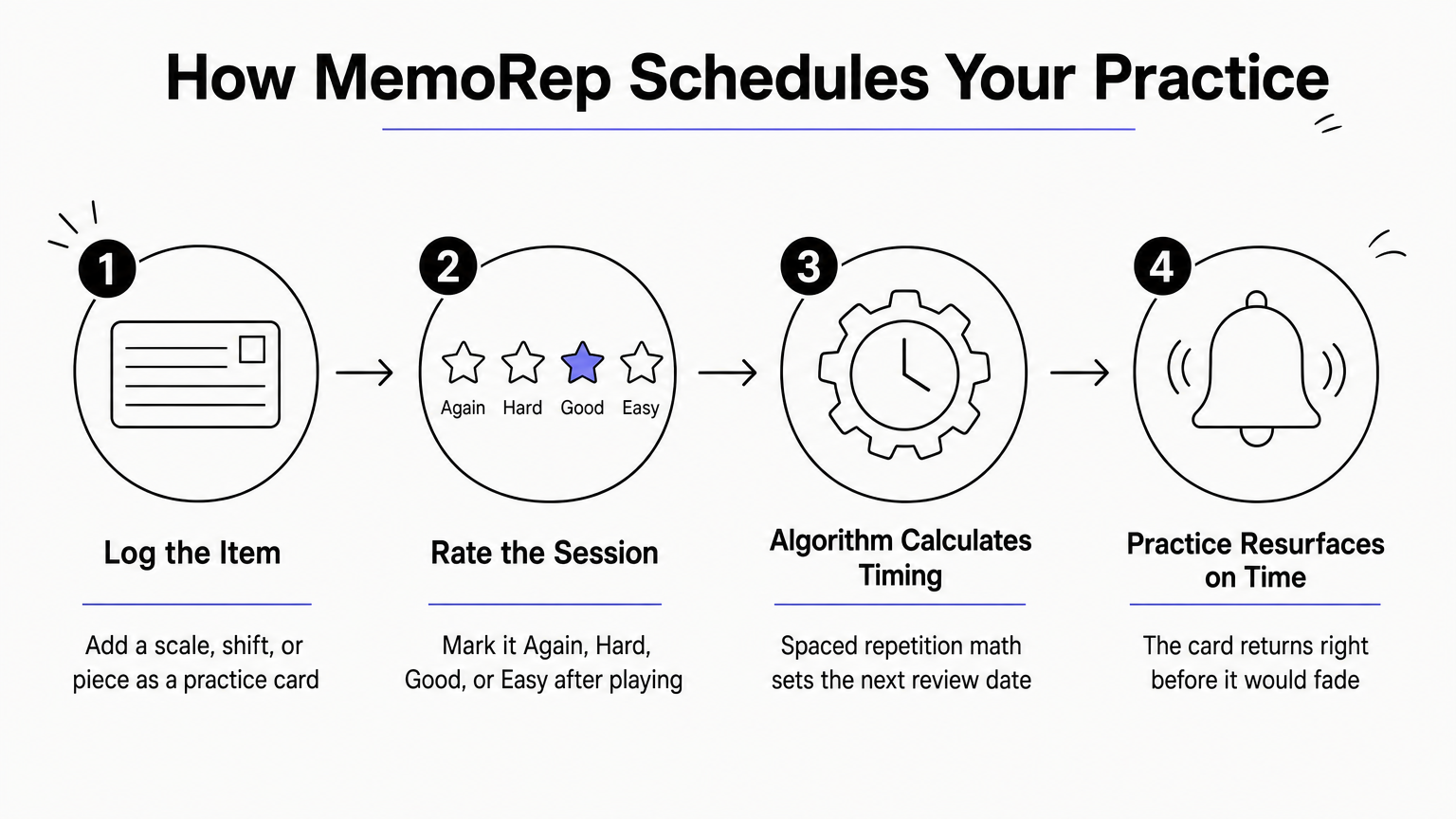
Most violin apps teach you a skill and then leave you to figure out when to revisit it. MemoRep does the opposite: it never touches technique or theory, and instead solves the problem that wrecks most self-taught progress, forgetting what you already learned. If you've ever gone back to a passage after two weeks and found your intonation had slipped or a shift you'd nailed suddenly felt shaky again, that's the gap this tool closes.
How it works
You log each piece, scale, shift, or bowing pattern you're working on as a practice card inside a project, whether that's your etude book, an orchestral excerpt, or a piece your teacher assigned. After each session, you rate how it went using an Again, Hard, Good, or Easy scale. MemoRep's scheduling algorithm, built on the SM-2 method and how spaced repetition algorithms work alongside the Ebbinghaus forgetting curve, uses that rating to decide exactly when you should practice that item again, catching it right before it would otherwise fade.
The app that tells you what to practice next matters as much as the one that taught you how.
Who it's for
This fits violinists at any level who already have technique guidance, whether from a teacher, a method book, or another app on this list, but who struggle to organize a growing pile of repertoire, scales, and exercises. It's especially useful for adult learners juggling multiple pieces at once, or intermediate players prepping for a recital or audition who need a step-by-step system for memorizing music without letting older repertoire go stale while polishing new material. If you already know what to work on but keep losing track of when, this is built for exactly that problem.
Pricing
MemoRep is currently running a limited beta program, and the first 200 users get free access to the full premium feature set, including unlimited projects, adaptive scheduling, and progress tracking. There's no credit card requirement to join, and pricing after the beta will depend on tier, but early adopters lock in premium access now. You can check current availability and sign up for the beta on the MemoRep site directly.
2. Trala for structured lessons with real-time pitch feedback
Trala built its name on real-time pitch detection that listens as you play and tells you, note by note, whether you're sharp or flat. It's one of the more polished violin learning apps aimed squarely at beginners who want structured lessons instead of a loose collection of videos.
How it works
Open the app and you get a guided curriculum broken into levels, starting with bow hold and open strings and working toward simple songs and scales. The microphone listens to your pitch accuracy in real time and flags wrong notes as you play through exercises, so you get correction the moment a mistake happens instead of after the fact. Games and short daily challenges keep the format from feeling like a dry method book, and progress bars show which skills you've cleared.
Real-time pitch feedback catches mistakes the instant they happen, which is exactly when correction sticks.
Who it's for
Trala suits absolute beginners and early intermediate players who don't yet have a teacher and want daily structure with built-in feedback. It works less well once you're playing repertoire beyond its curriculum, since the pitch detection is tuned for its own exercises rather than open-ended pieces.
Pricing
Trala runs on a subscription model, typically billed monthly or annually, with a free trial period to test the pitch detection before committing. Check the Trala site for current rates, since pricing shifts periodically.
3. tonestro for live pitch and rhythm analysis
tonestro takes the real-time feedback idea further than most apps by scoring both pitch accuracy and rhythmic timing on every note you play, not just whether you hit the right frequency. It grew out of the piano and wind instrument world before adding violin, so the exercise library leans toward short, focused drills rather than full method-book progressions.
How it works
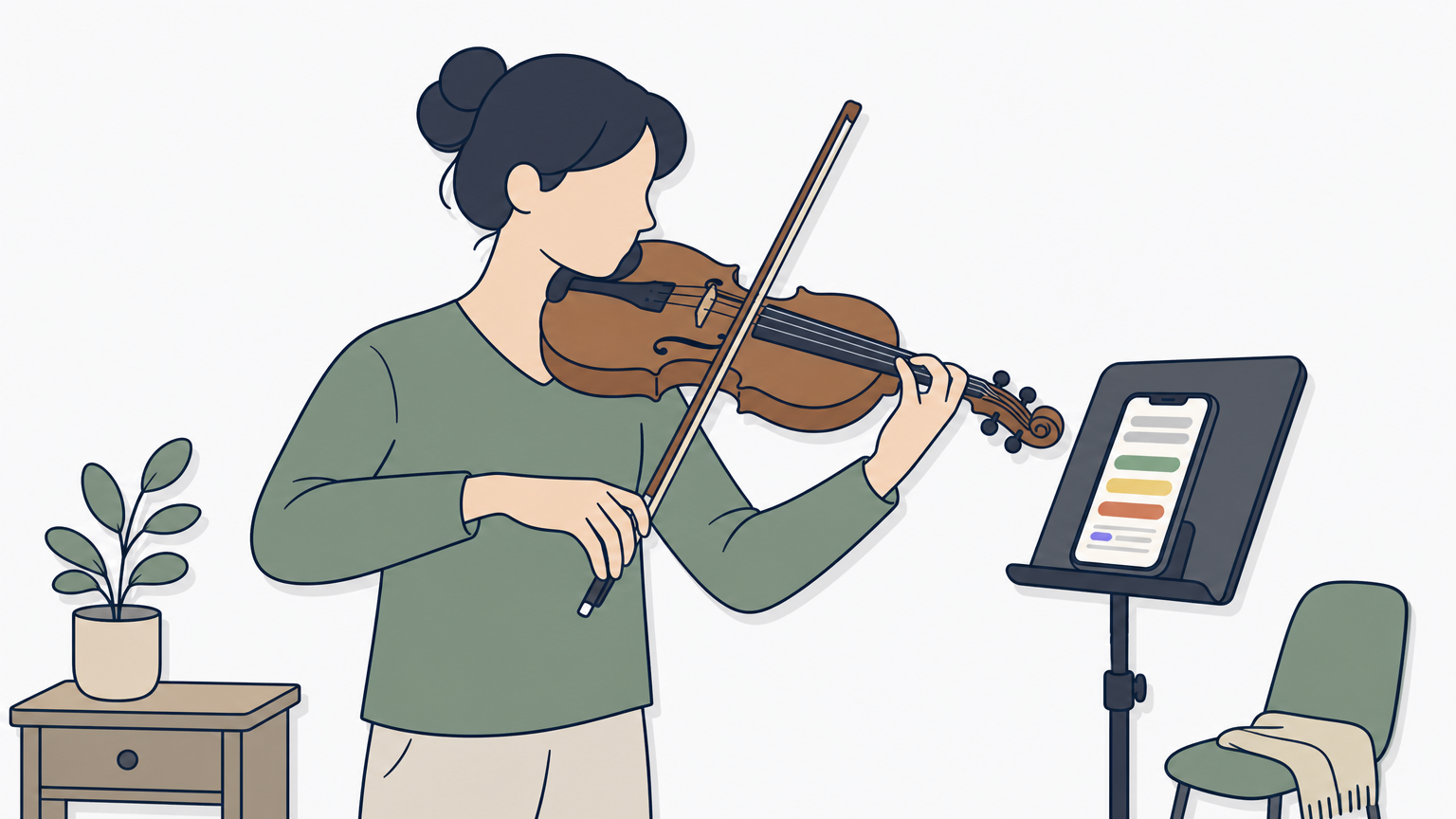
You pick an exercise, play into the microphone, and tonestro's audio analysis engine grades each note against pitch and timing targets, showing you a color-coded result the moment you finish. Weekly challenges and a practice streak tracker add light gamification, and the app groups drills by skill area, like intonation, rhythm, or bowing patterns, so you can target a specific weak spot.
Scoring rhythm alongside pitch catches the timing slips that pitch-only apps miss entirely.
Who it's for
tonestro fits players who already have basic technique down and want a fast way to sharpen intonation and timing without sitting through video lessons. It suits intermediate players more than absolute beginners, since the app assumes you can already produce a decent tone and hold the instrument correctly before it starts scoring you.
Pricing
tonestro offers a free tier with limited daily exercises, plus a premium subscription that unlocks the full drill library and detailed progress reports. Check the tonestro site for current subscription tiers, since the app periodically adjusts what's included in the free version.
4. ViolinLab for a dedicated adult beginner curriculum
ViolinLab is built by violinist Beth Blackerby specifically for adults who never had the chance to start young, and that focus shows in how patiently the lessons unfold. Unlike apps chasing gamified streaks, this one leans on video-based instruction that walks through posture, bow hold, and reading music at a pace suited to someone learning outside a school orchestra program.
How it works
Lessons run as a structured video course, organized into levels that move from holding the instrument through first songs and basic music theory, an area where dedicated theory apps can fill in the gaps. Each video breaks a skill into small steps, and Beth demonstrates slowly enough that you can pause and mimic her hand position frame by frame. There's no pitch-detection microphone or scoring system here, so you're relying on your own ear and eye rather than automated feedback.
A slower, more deliberate teaching pace suits adults who want to understand the why behind each movement, not just clear a level.
Who it's for
ViolinLab fits adult beginners who want a real teacher's explanations without hiring one yet, especially those who feel self-conscious in group classes built around kids. It's less useful once you're past early intermediate repertoire, since the curriculum tops out before advanced technique.
Pricing
ViolinLab runs on a membership subscription, billed monthly or annually, giving full access to the video library and downloadable sheet music. Check the ViolinLab site directly for current rates and any trial offers.
5. Fiddlerman for free video lessons and community support
Fiddlerman started as one violinist's YouTube channel and grew into a full learning hub without ever charging admission for the core lessons. Run by Ary Fiddler Perlman, the site pairs hundreds of free video lessons with a forum where thousands of learners trade progress updates, questions, and encouragement. It's less an app in the polished, gamified sense and more a structured library plus a community wrapped around it.
How it works
Lessons sit organized by level, moving from open strings and first songs through intermediate repertoire, and each video walks through a piece or technique at a watchable, repeatable pace. Sheet music and play-along tracks accompany many lessons, and the community forum lets you post a recording and get feedback from other members, including advanced players and teachers who volunteer their time.
A free video library backed by an active community fills the gap that solo lesson apps leave wide open.
Who it's for
Fiddlerman suits self-taught beginner to intermediate players who want structure without a subscription cost, plus anyone who values feedback from real people over automated scoring. It works less well for players wanting real-time pitch correction or a tightly gamified daily routine.
Pricing
The core lesson library and forum access are free. A paid membership tier exists for extra sheet music and courses. Check the Fiddlerman site for current membership details.
6. Tomplay for practicing with professional backing tracks
Tomplay flips the usual practice format by pairing sheet music with professional backing tracks you play along to, so instead of practicing scales in isolation, you rehearse pieces the way you'd perform them, with a full accompaniment behind you. The catalog spans classical standards, film music, and pop arrangements, which makes it more repertoire library than lesson platform.
How it works
You pick a piece from the catalog, and the app shows scrolling interactive sheet music synced to a studio-recorded backing track, with adjustable tempo and a built-in tuner and metronome. A listening mode lets you follow along before attempting the piece yourself, and you can loop tricky sections without restarting the whole track. There's no pitch detection or scoring here, so the app measures nothing about your playing directly.
Playing against a real accompaniment teaches timing and ensemble awareness that a metronome alone never will.
Who it's for
Tomplay suits intermediate and advancing players already comfortable reading music, ideally backed by free sight reading drills, who want to build repertoire and rehearse with accompaniment rather than drill fundamentals. It's a poor fit for absolute beginners, since there's no instruction on posture, bow hold, or reading music to start.
Pricing
Tomplay sells access per piece or through a subscription unlocking its full catalog, billed monthly or annually. A limited free tier lets you sample a handful of pieces before buying. Check the Tomplay site for current catalog pricing, since costs vary by title.
7. tonebase for masterclasses from concert violinists
tonebase brings you inside the practice room of working professionals, with masterclasses and structured courses taught by concert violinists and pedagogues like Itzhak Perlman's studio faculty and other well-known names in the classical world. Instead of a beginner curriculum, the platform is built around in-depth technique breakdowns and repertoire coaching aimed at players who already have a foundation and want expert-level insight into interpretation, bowing choices, and practice strategy for specific pieces.
How it works
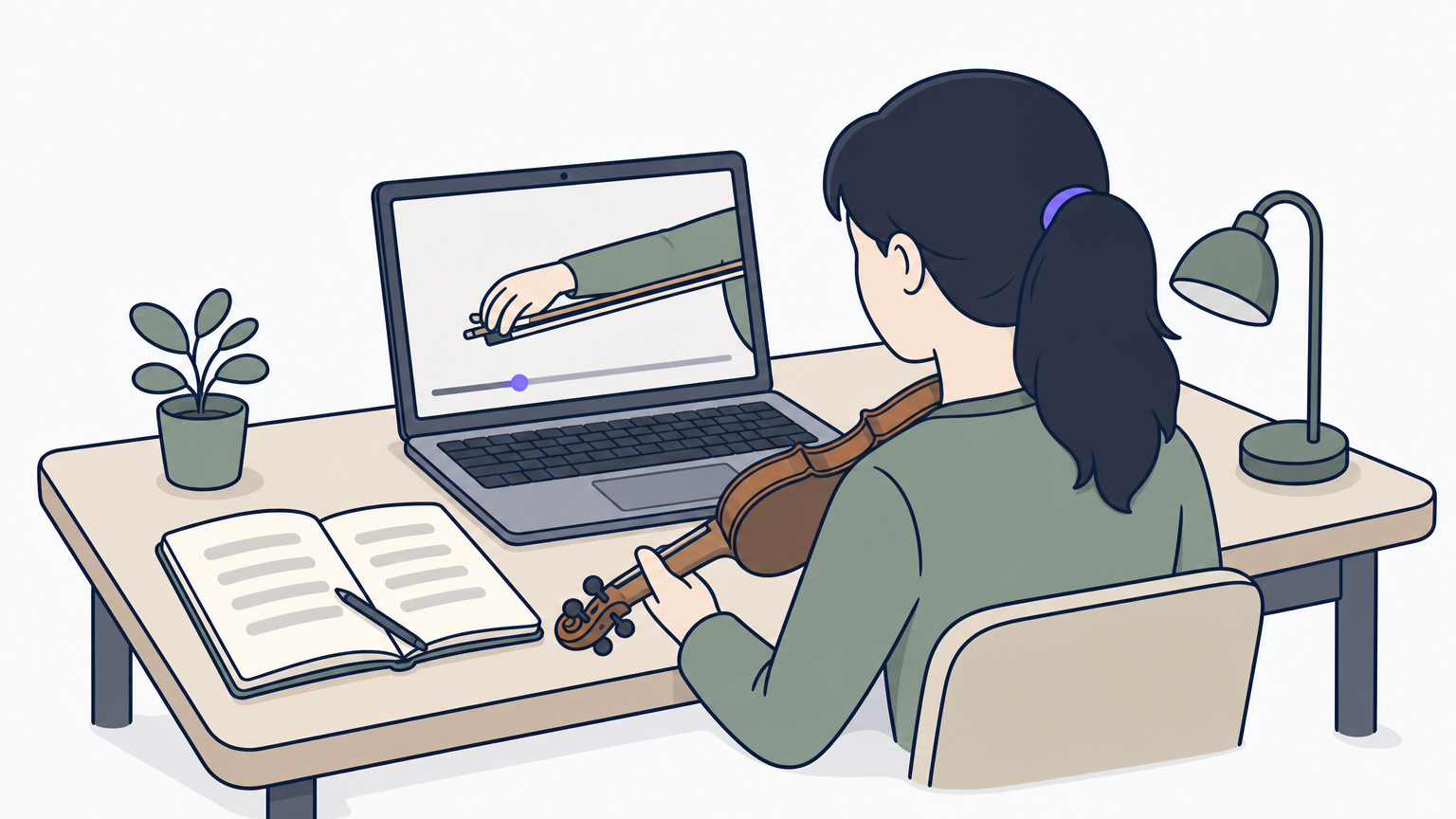
Courses are organized by instrument, level, and repertoire, so you can search for a specific concerto or etude and find a video series breaking down exactly how a professional approaches it. Many lessons include slow-motion footage of bow arm and left-hand technique, plus downloadable practice guides that outline what to focus on section by section. There's no pitch detection or automated scoring here, since the format is closer to a video masterclass than an interactive drill app.
Watching how a professional solves a technical problem often teaches more than a dozen generic tips ever could.
Who it's for
tonebase suits intermediate and advanced violinists working through serious repertoire, especially those without regular access to a teacher who performs at a high level. It's a poor match for absolute beginners still learning to hold the bow.
Pricing
tonebase runs on a subscription, billed monthly or annually, with tiered access to its full course and masterclass library. Check the tonebase site directly for current rates and any trial offers before committing.
8. How to choose the right violin app for your goals
Matching an app to your actual stage matters more than picking whatever ranks highest in a random search for best apps for learning violin, and the same logic applies to the broader field of apps for theory, notes, and rhythm. A true beginner needs posture and bow-hold guidance from something like Trala or ViolinLab, while an intermediate player chasing audition repertoire gets more value from tonebase or Tomplay. Skipping this step is how people end up paying for a masterclass library when what they actually needed was a patient beginner curriculum.
Consider, too, that most of these tools solve only one piece of the puzzle: teaching technique. None of them, aside from MemoRep, tracks when a scale you learned three weeks ago is about to slip from memory.
Choosing an app isn't about finding the single best one, it's about matching the right tool to the right gap in your routine.
Use this quick filter before you commit:
- Absolute beginner with no teacher: Trala or ViolinLab
- Free structure and community: Fiddlerman
- Intonation and rhythm drilling: tonestro
- Repertoire with backing tracks: Tomplay
- Advanced coaching and interpretation: tonebase
- Organizing what to revisit and when: MemoRep
Notice that last category sits apart from the rest. Every other app on this list teaches or drills a skill in the moment. MemoRep manages the timing of your revisits across all of them, which is why pairing it with whichever teaching app fits your level, inside a weekly practice structure you'll actually keep, usually beats relying on one tool alone.
Building a practice routine that sticks
No app on this list replaces a teacher, and none of them should try to. What they can do is fill the specific gaps that make self-directed practice fall apart: shaky pitch feedback, missing structure, or repertoire that quietly goes stale while you focus on whatever feels urgent that day. Pick one app for the teaching side based on where you actually are, whether that's Trala for a first-year beginner or tonebase for a player chasing a concerto.
Then solve the scheduling problem separately, because no lesson app tracks when a piece you nailed in June is about to slip in September. That's the gap spaced repetition closes, and it's the only thing MemoRep does. Join the beta while spots remain and see how MemoRep schedules your next violin review before you build your first project.