
6 Best Music Practice Log Templates to Track Your Progress
You practiced for an hour yesterday, but can you actually remember what you worked on? If you're hunting for a music practice log template, you already know the problem: without some way to track sessions, practice turns into a blur of scales and half-finished pieces, and you lose the thread on what actually needs more work. A good log fixes that by giving you a clear record of what you played, for how long, and how it went.
This article rounds up six practice log templates you can grab right now, from simple printable PDFs to spreadsheet-based trackers built for musicians who want more detail. Each one solves the same basic problem in a slightly different way, so you can pick the format that matches how you actually practice.
We'll also point out where static templates fall short. A paper log tells you what you did, but it won't tell you what to practice tomorrow or when a piece is about to slip from memory. That's a scheduling problem, and it's worth knowing there's a better fix once you've outgrown the spreadsheet.
1. MemoRep: a smart spaced-repetition practice log
Most templates on this list are static. You fill in a row, close the file, and the log has no idea what you should do next. MemoRep takes a different approach: instead of a blank sheet you fill in from memory, it's a spaced repetition system built specifically for musicians and other practical-skill learners, and it tells you exactly what to practice today and why.
How it works
You create a project for each instrument, piece, or skill area, then break it down into individual practice cards, a scale pattern, a tricky measure, a piece you're memorizing. After each session, you rate how it went using an Again/Hard/Good/Easy scale, similar to how flashcard apps work but tuned for practical skills instead of text recall. Behind the scenes, MemoRep runs the SuperMemo SM-2 algorithm and the Ebbinghaus forgetting curve to calculate exactly when that card should resurface, right before it's likely to fade from memory. Instead of a static music practice log template you update by hand, you get an adaptive schedule that adjusts every time you log a session.
A practice log that only records what you did is half the job; one that also tells you what to do next actually changes how you practice.
Who it's for
MemoRep suits musicians juggling more repertoire or techniques than they can reliably track in their head, and anyone who's tired of the decision fatigue that comes with picking what to practice each day. If you've ever opened a printable practice log and stared at a blank page unsure where to start, this solves that specific problem.
Price
MemoRep is currently in a limited beta, with free premium access for the first 200 users. There's no credit card required to join, and pricing details for the full release haven't been locked in yet, so beta users get in ahead of any paid tiers.
2. Simple weekly practice log template
A weekly practice log template strips things down to the basics: a grid with days of the week across the top and space to jot down what you practiced and for how long. It's the format most teachers hand out to beginner students because it takes seconds to fill in and doesn't demand any extra thought about categorization or scoring.
How it works
You print the sheet, tape it inside your instrument case or pin it to a practice room wall, and fill in a row after each session. Most versions include columns for minutes practiced, a short note on what you worked on, and sometimes a checkbox for whether you hit your daily goal. Some also add a small star or sticker chart, useful if you're tracking a kid's practice habits rather than your own.
The simplest log is the one you'll actually fill out every day.
Who it's for
This suits beginners, parents tracking a child's practice, and anyone who wants a low-friction habit tracker rather than a detailed practice journal. If your main goal is just building a consistent practice habit, this format removes every excuse, though it helps to know how to practice an instrument effectively before you start filling boxes.
Price
Free. You'll find dozens of printable versions from music teacher blogs and studio websites, usually as a downloadable PDF you print at home.
3. Detailed practice journal template
A detailed practice journal template goes beyond minutes and notes. It asks you to log specific goals for each session, the techniques or exercises you used to reach them, and a reflection on what worked, which is the backbone of deliberate practice. Think of it as a diary for your instrument rather than a simple attendance sheet.
How it works
Each page usually has sections for warm-up exercises, technical work, repertoire, and a reflection block where you write what went well and what needs more attention next time. Some versions add a rating scale for focus or energy level, so you can spot patterns over weeks, like noticing your best sessions happen in the morning. Filling one out properly takes longer than a weekly grid, closer to five minutes after each session rather than thirty seconds.
A journal only helps if the reflection you write down actually changes tomorrow's session.
Who it's for
This fits intermediate and advanced players preparing for auditions, exams, or performances, where understanding why a passage isn't working matters as much as knowing you played it. Teachers also use this format with students who need to build self-assessment skills, not just log hours.
Price
Free versions circulate on music education blogs, though some conservatories and private teachers sell polished PDF or bound versions for a few dollars.
4. Piece-specific practice log template
Unlike a weekly grid, a piece-specific practice log template organizes everything by repertoire instead of by date. Each piece gets its own row or page, so you can track progress on a Chopin nocturne separately from a jazz standard, rather than mixing them into one generic daily entry.
How it works
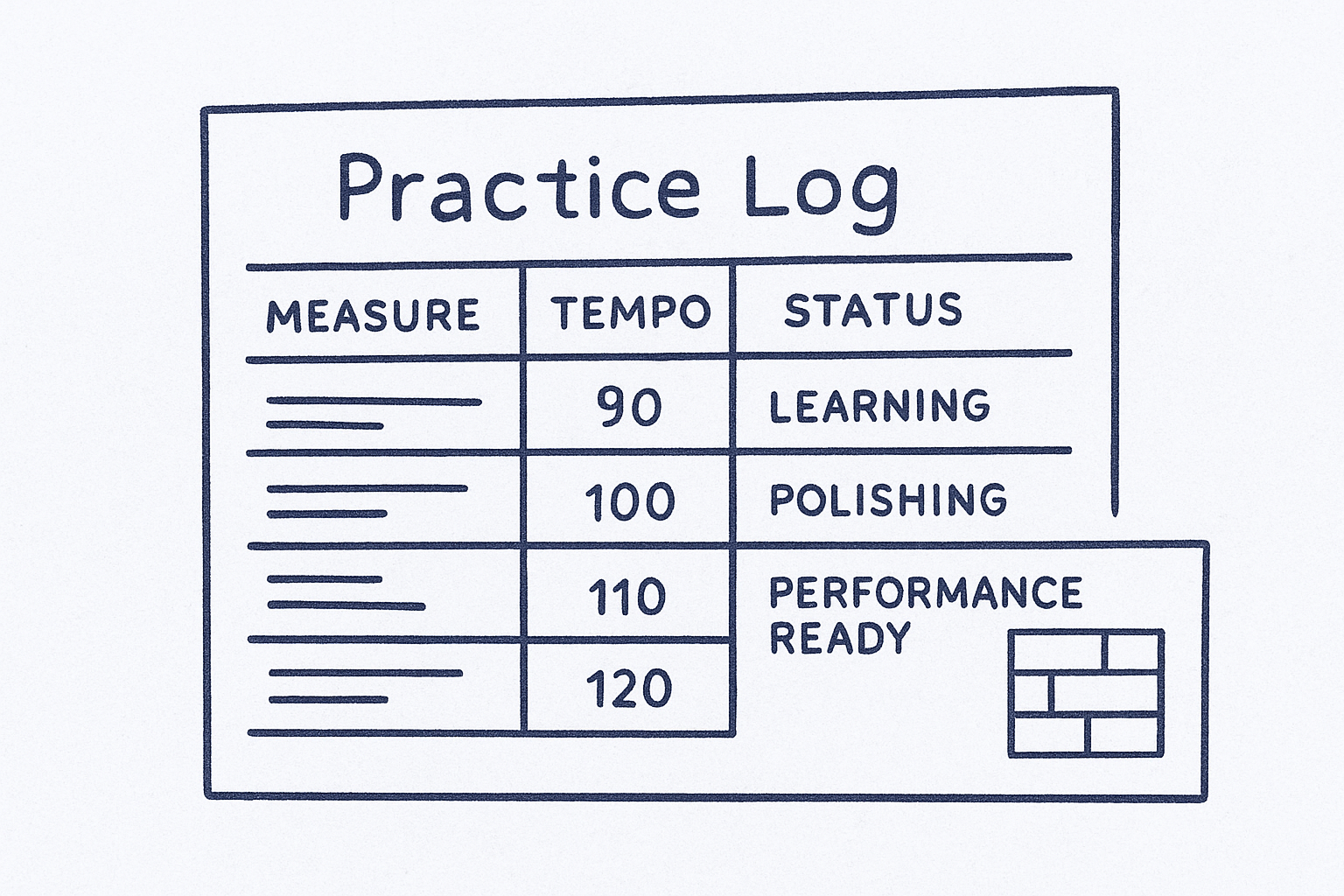
You set up one section per piece, usually with columns for measures worked on, tempo achieved, and a status marker like "learning," "polishing," or "performance ready." Some versions include a small diagram of the piece broken into sections, so you can mark which passages still need attention. Because everything is grouped by piece rather than by day, you can flip straight to a repertoire tracking sheet for whatever you're rehearsing next, instead of scanning weeks of mixed notes.
Organizing your log by piece instead of by date makes it obvious which repertoire is actually ready.
Who it's for
This format suits players juggling multiple pieces at once, like students preparing a recital program or gigging musicians maintaining a rotating setlist, and it pairs well with a weekly practice plan that balances technique and repertoire. It's less useful if you mostly work on technique and scales rather than named repertoire.
Price
Free templates are common on band and orchestra teacher sites, often as printable PDFs or editable spreadsheets you customize per piece.
5. Digital practice journal for Notion or Evernote
Switching from paper to a note-taking app gives you a digital practice journal that lives on your phone and laptop instead of a single sheet in your case. Notion and Evernote both let you build a template once and duplicate it for every new week or piece, so you're not redrawing a grid every Sunday night.
How it works
You set up a database or note template with fields for date, duration, repertoire, and notes, then clone a fresh entry each session. Notion's database views let you filter by piece or tag entries as "technique" versus "repertoire," turning your log into something closer to a searchable practice database than a static page, though it still won't schedule reviews the way spaced repetition software does. Evernote works more like a running journal, with tags standing in for the filtering Notion handles natively.
A digital log earns its keep the moment you can search it, not just fill it in.
Who it's for
This suits musicians who already live in Notion or Evernote for other parts of their life and don't want a separate app just for practice tracking. It's less appealing if you'd rather glance at a printed page than open a laptop mid-session.
Price
Both apps offer free tiers that comfortably handle a practice log; paid plans start around $8 to $15 monthly and mostly add storage or collaboration features you won't need for this.
6. Excel or Google Sheets practice log template
Spreadsheets sit somewhere between a paper log and a full app. A practice tracking spreadsheet gives you formulas, filters, and charts without asking you to learn new software, since most people already have some familiarity with Excel or Google Sheets from school or work.
How it works
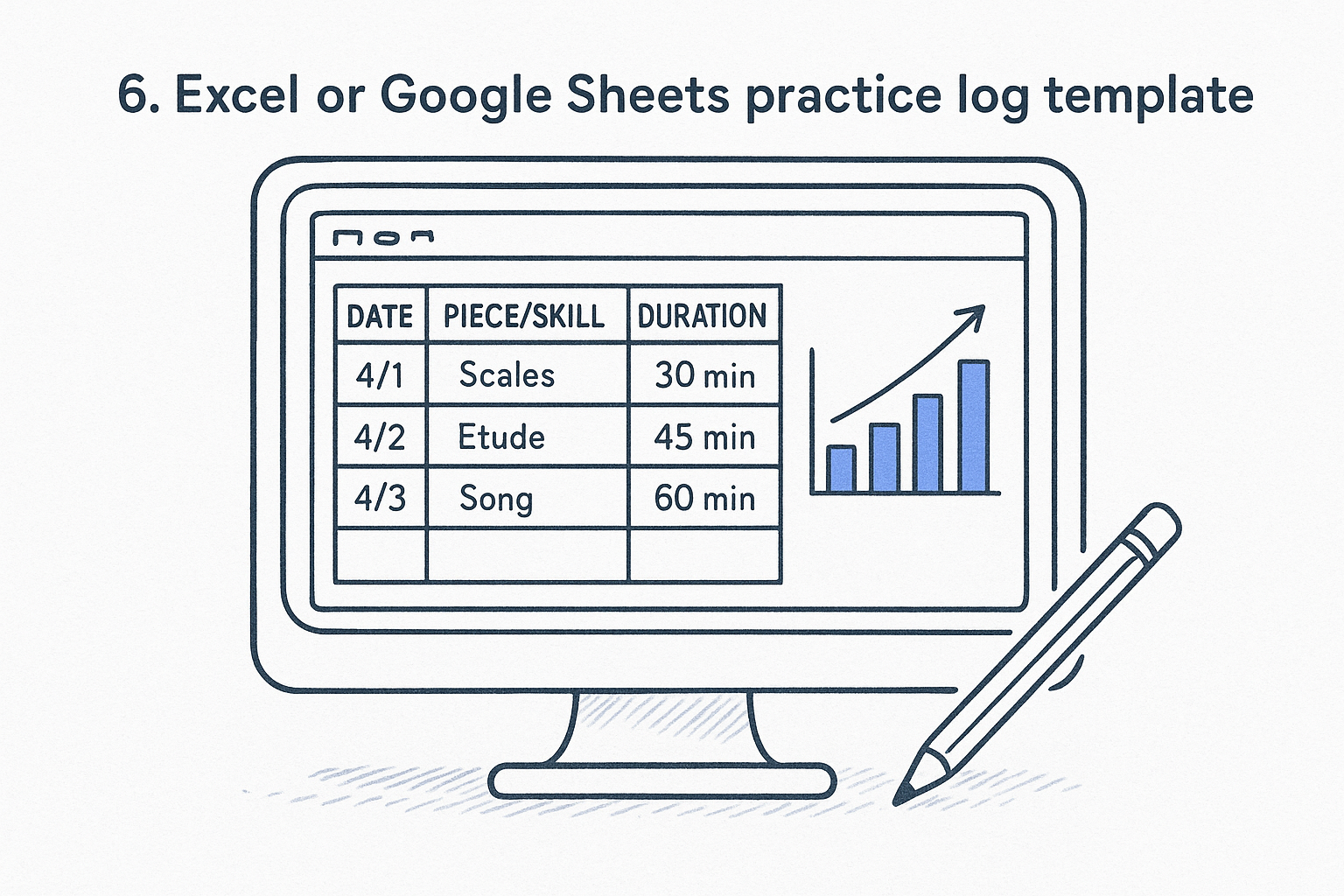
Columns typically cover date, piece or skill, duration, and a notes field, with a formula tallying total minutes per week or month automatically. Google Sheets adds the option to share the file with a teacher for feedback between lessons, something a printed page can't do. Charting tools turn weeks of raw entries into a progress graph, so you can see at a glance whether your practice time is trending up or sliding.
A spreadsheet only beats paper if you actually use the formulas, otherwise you're just typing into smaller boxes.
Who it's for
Spreadsheet fans, data-minded musicians, and anyone who wants to build custom charts or track multiple instruments in one file will get the most out of this format. It also suits teachers managing several students, since one master file can hold a tab per student.
Price
Google Sheets is free with any Google account. Excel requires a Microsoft 365 subscription, typically around $70 a year, unless you already have it through work or school.
Finding the log that fits your practice
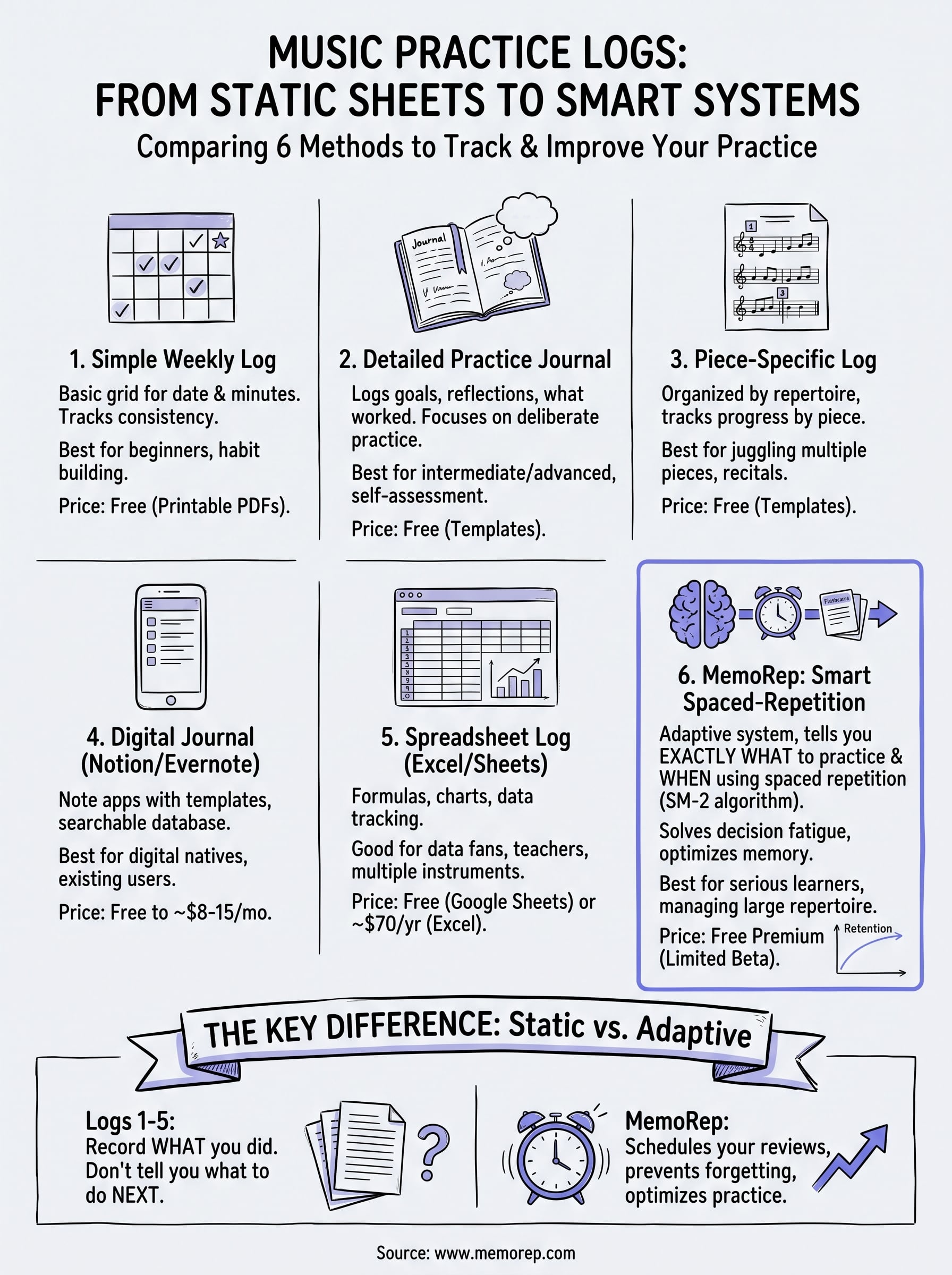
Every template on this list solves the same problem at a different level of effort. A weekly grid works if you just need a habit tracker, a piece-specific sheet works if repertoire is your priority, and a spreadsheet works if you like charts and formulas. Pick based on how much detail you'll actually maintain, not how thorough a template looks on day one.
Generic trackers all share the same blind spot: they record history but never tell you what deserves attention tomorrow. That's the gap spaced repetition closes, resurfacing scales, passages, or pieces right as they're about to slip instead of leaving that call to guesswork, and the benefits of timing your reviews show up within weeks.
If you're tired of manually deciding what to revisit, see how MemoRep schedules your practice and claim your free lifetime spot while beta access is still open.