8 Best Guitar Practice Apps to Try in 2026
You picked up guitar again this week and realized you have no idea what to practice first. Scales? That song you half learned last month? The chord changes you kept fumbling in your last lesson? If you're scrolling through best guitar practice apps trying to find something that actually organizes this mess, you're not alone. Most players hit a point where motivation isn't the problem, direction is.
This list answers a specific question: which apps actually help you practice smarter, not just track that you showed up. We looked at tools that handle scheduling and repetition well, whether through spaced practice algorithms, structured lesson paths, or habit trackers that log your practice progress, so you spend less time deciding what's next and more time playing.
Below you'll find eight apps worth trying in 2026, from tuner-and-tab basics to platforms built specifically for long-term retention of technique and repertoire. We'll cover what each one does best, where it falls short, and who it fits, including where MemoRep's spaced repetition approach comes in for players tired of forgetting pieces they swore they'd already nailed.
1. MemoRep
What it does
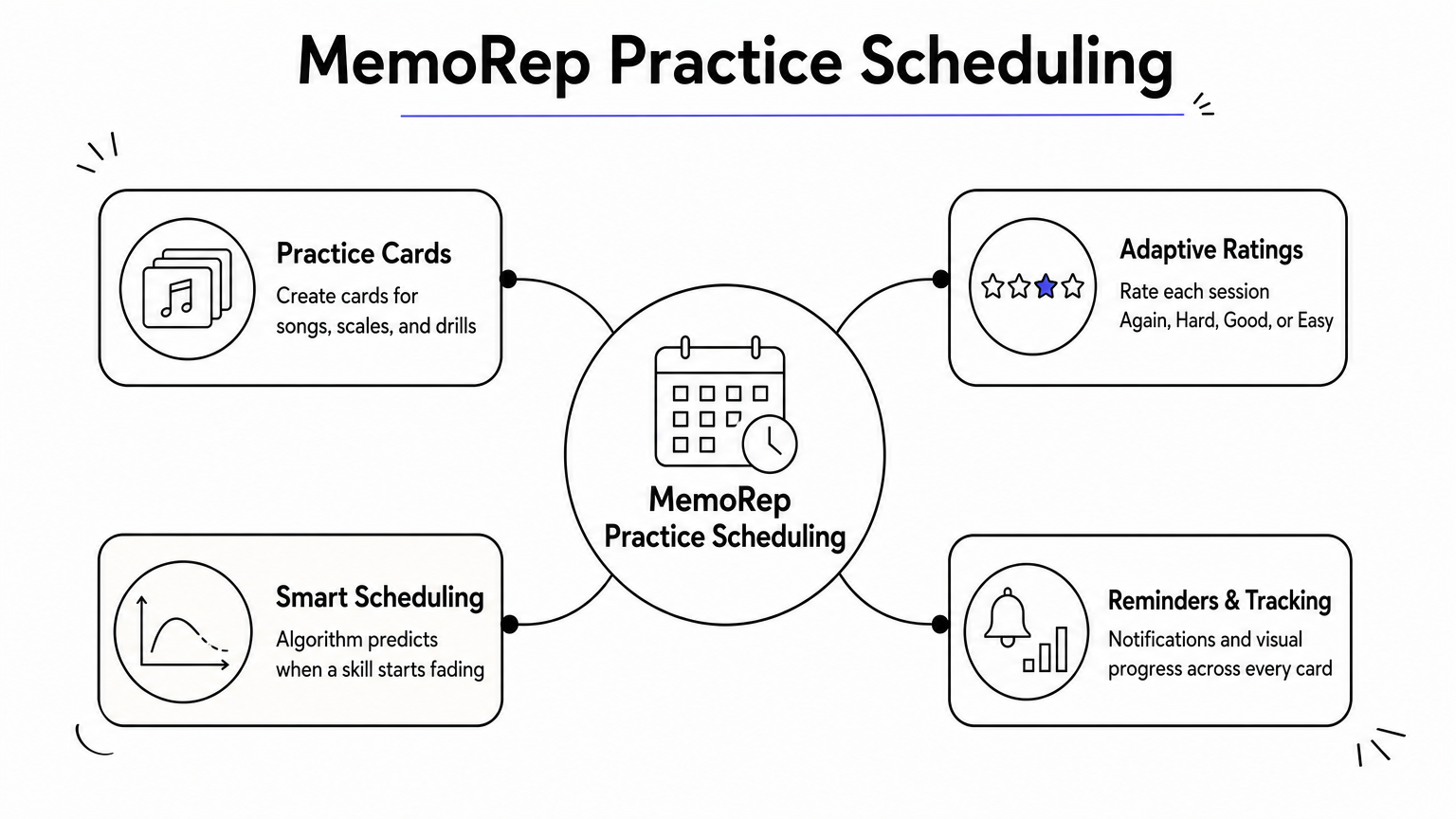
MemoRep tackles the problem you just described in the intro: too many songs, scales, and techniques competing for your practice time, with no system telling you what deserves attention today. You create practice cards for whatever you're working on, a chord progression, a scale pattern, a section of a piece that keeps falling apart, and MemoRep schedules when you should revisit each one. The scheduling runs on the same logic behind the Ebbinghaus forgetting curve and SM-2, one of the classic spaced repetition algorithms, so instead of guessing, you get a queue built around when each skill is actually about to fade from memory.
Forgetting isn't random, it's predictable, and MemoRep schedules your practice around that predictability instead of your guesswork.
Best for
Guitarists juggling a growing repertoire or a long list of techniques will get the most out of this. If you've ever relearned a piece you swore you already had down, or abandoned a scale pattern because you forgot it existed, spaced practice for guitar solves exactly that. It's less useful if you want step-by-step lessons on how to play something. MemoRep won't teach you technique or theory; that's your teacher's job. It manages the when, not the how.
Key features
- Practice card creation organized into projects (songs, technique drills, repertoire pieces)
- Adaptive scheduling that adjusts based on your Again/Hard/Good/Easy ratings after each session
- Real-time algorithm recalculation as your performance changes
- Practice reminder notifications so nothing quietly slips through the cracks
- Progress tracking and visualization across every card and project
Pricing
MemoRep is currently running a limited beta, and the first 200 users get free premium access. If you're an early adopter comfortable trying a newer platform in exchange for full features at no cost, this is the moment to grab a spot. Beyond that beta window, pricing details will follow as the platform moves out of beta, so check the MemoRep signup page directly for current terms before they change.
2. Yousician
What it does
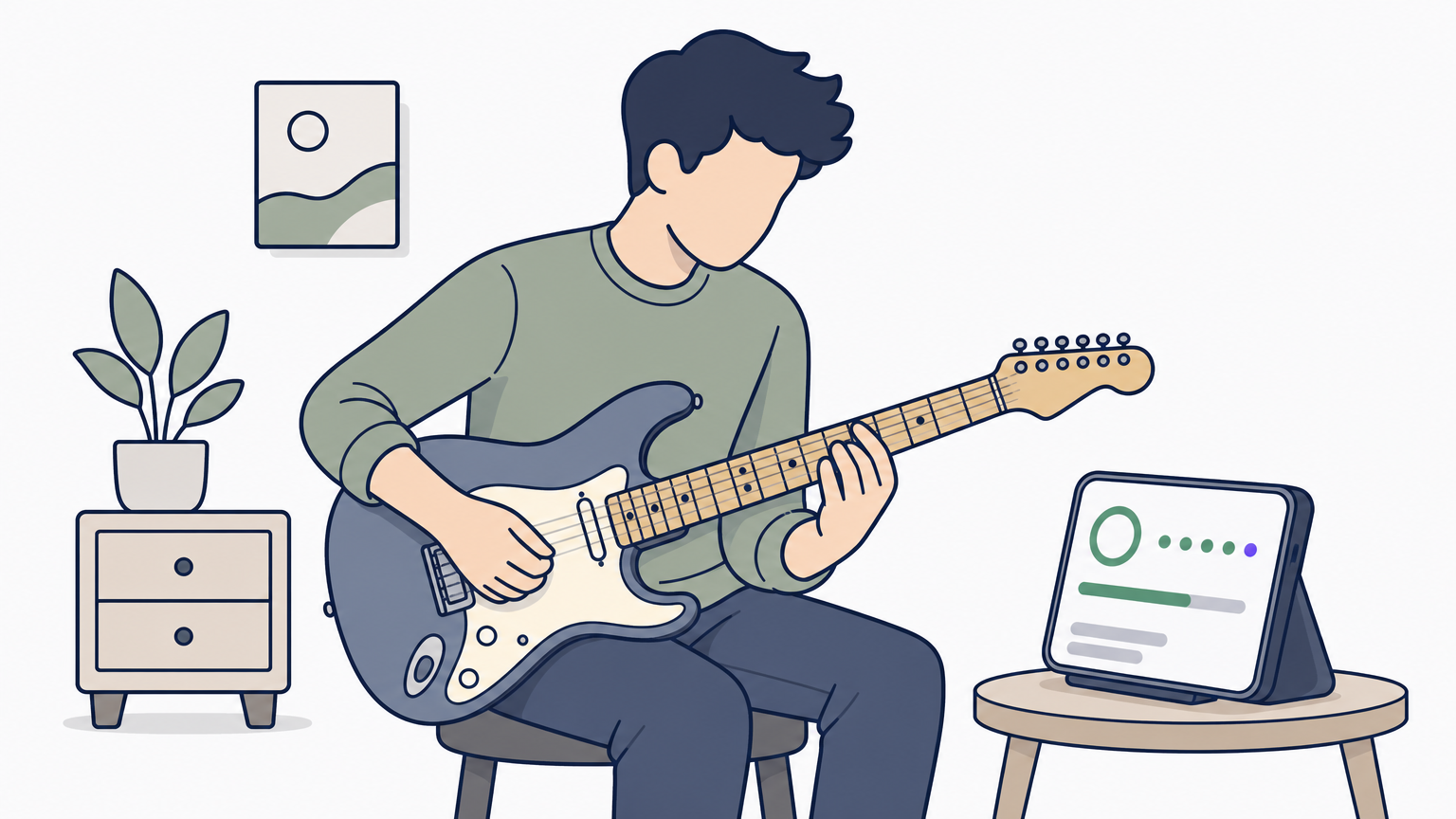
Yousician listens to you play through your device's microphone and gives real-time feedback on pitch and timing, turning practice into something closer to a game. You work through structured lesson paths covering chords, strumming, picking, and songs, and the app scores your accuracy note by note. It's one of the most recognized guitar practice apps on the market, largely because the instant feedback loop makes practicing alone feel less like guesswork.
Best for
Beginners and early intermediate players who want structure without hiring a teacher will get the most value here. If you're the type who needs a clear next step and some gamified motivation to keep opening the app, Yousician delivers that consistently. It's less suited to advanced players working on original repertoire or specific technique problems, since the lesson path is fairly fixed and doesn't adapt to a custom song list the way a practice routine built around your own material would.
Key features
- Real-time audio recognition that scores pitch and rhythm accuracy
- Structured lesson paths from absolute beginner through intermediate levels
- Popular song library with playable arrangements
- Gamified progress bars, streaks, and levels
- Support for guitar, bass, ukulele, and piano within one subscription
Pricing
Yousician offers a limited free tier with capped daily practice minutes. The paid Premium+ plan runs roughly $19.99 a month, with lower rates if you commit annually. Family plans covering multiple instruments and users are also available at a higher monthly cost.
3. Fender Play
What it does
Fender built this app as a video-based guitar learning app that walks you through courses on chords, songs, and technique, all filmed with real instructors rather than animated diagrams. You pick a genre and goal when you sign up, and the app builds a path from there, mixing short skill lessons with full song tutorials. It feels less like a game than Yousician and more like a structured course you'd pay for at a music school.
Best for
Beginners who want a guided, video-first path without gamification will feel most at home here. If you learn better watching a real guitarist demonstrate a technique slowly, frame by frame, than reading tab or chasing a score, Fender Play's format suits you. It's a weaker fit for players who already know the basics and want to organize guitar practice around specific weak spots, since the course structure doesn't adapt to an individual repertoire the way a spaced repetition system does.
A guided video course teaches you the move; it still won't tell you when that move needs revisiting before you forget it.
Key features
- Video lessons taught by real instructors, organized by skill level and genre
- Song-based courses pairing technique with recognizable tunes
- Progress tracking tied to completed lessons and songs
- Chord and scale libraries for quick reference
- Cross-platform access on mobile and desktop
Pricing
Fender Play runs about $9.99 a month or roughly $89.99 a year, and it occasionally bundles free trial periods with Fender guitar or amp purchases.
4. JustinGuitar
What it does
JustinGuitar started as a free YouTube channel and grew into one of the most respected structured guitar courses online, built by actual guitar teacher Justin Sandercoe. The app organizes his lessons into a clear curriculum, beginner through advanced, covering technique, theory basics, and songs, all without a paywall blocking the core content. Practice routines, backing tracks, and a library of common guitar strumming patterns round out what's genuinely one of the more complete free resources among best guitar practice apps available right now.
Best for
Budget-conscious beginners and self-taught players who want a real curriculum instead of scattered videos will get the most from this app. If you're disciplined enough to follow a course sequence on your own, JustinGuitar's depth rivals paid platforms without the subscription pressure. It's a weaker fit if you already have a repertoire built up and need a system tracking which pieces are fading, since JustinGuitar teaches skills forward rather than scheduling review of what you've already learned.
A free curriculum can teach you everything about guitar except when to come back and revisit it.
Key features
- Full beginner-to-advanced course structure, free to access
- Practical practice routines and printable practice sheets
- Backing tracks and a strumming pattern library
- Community forum for feedback and accountability
- Song lessons paired with technique modules
Pricing
JustinGuitar's core courses are free. An optional Pro subscription, around $9.99 monthly or $79.99 yearly, unlocks interactive practice tools, progress tracking, and offline access.
5. Ultimate Guitar
What it does
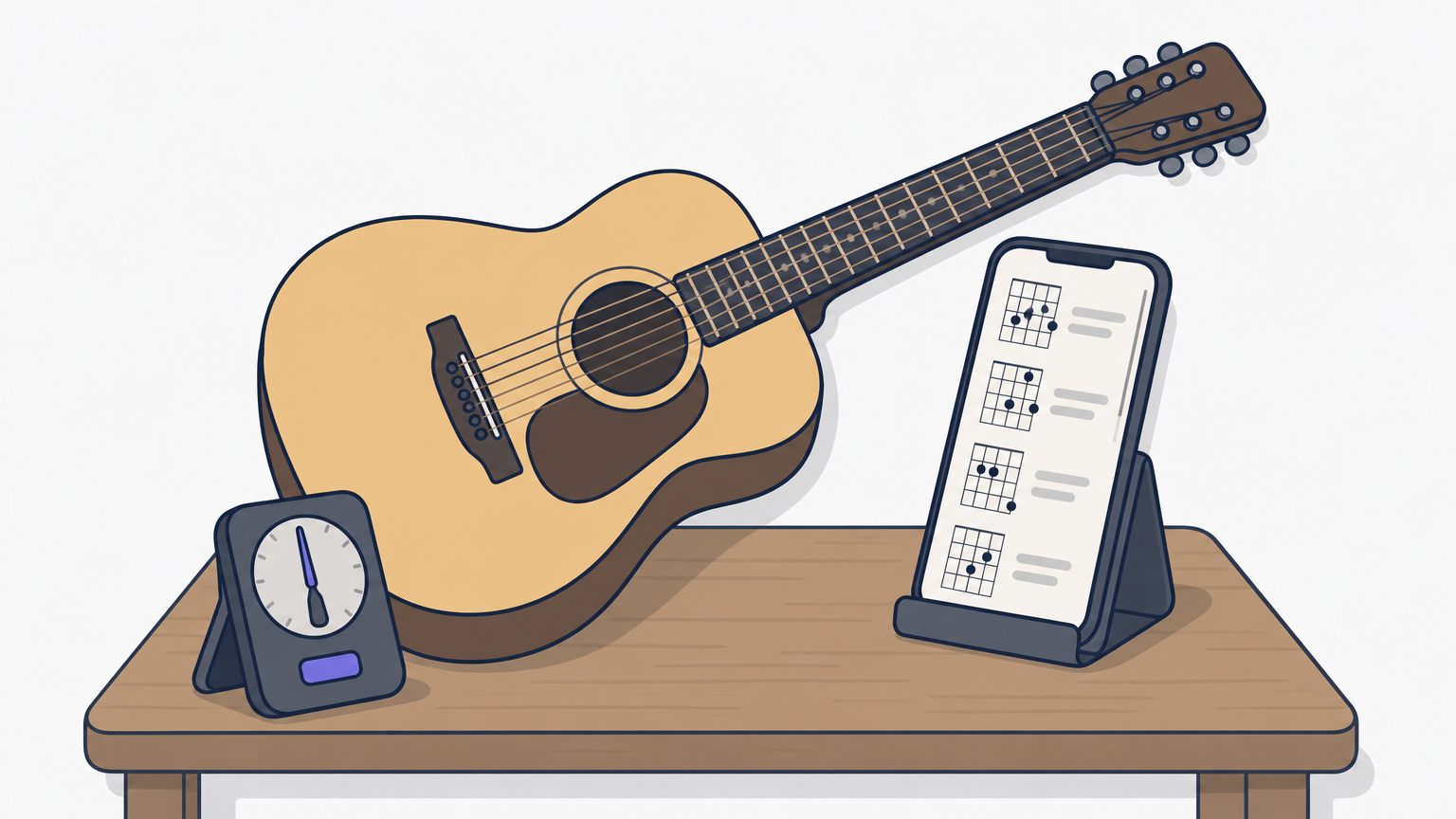
Ultimate Guitar is the go-to database for chords and tabs, with a catalog covering nearly any song you'd want to learn. You search a title, pick from user-submitted versions ranked by accuracy, and play along with an auto-scrolling tab synced to a built-in metronome, assuming you can already read guitar strumming patterns on your own. It's less a course and more a massive tab library you lean on whenever you need the chord chart for a specific song right now.
Best for
Players who already know their way around the fretboard and just need reliable song charts and tabs will use this constantly. Cover bands, jam session regulars, and anyone building a setlist benefit from the sheer breadth of material. It's a poor fit if you're after any kind of teaching or feedback, since Ultimate Guitar doesn't score your playing or tell you what to revisit; it just hands you the chart and leaves the rest to you.
A tab library gets you the chart in seconds; it has no opinion on whether you'll remember that song next month.
Key features
- Massive, user-submitted database of chords and tabs across genres
- Official licensed tabs alongside community-submitted versions
- Auto-scroll, transposition, and built-in metronome tools
- Offline access for saved songs
- Chord and scale diagrams layered directly over the tab
Pricing
Ultimate Guitar's basic tab access is free with ads. The Pro tier, around $2.99 to $4.99 a month depending on the plan, removes ads and unlocks offline mode, tempo control, and official audio-synced tabs.
6. GuitarTuna
What it does
GuitarTuna is the tuning app most guitarists already have on their phone, even if they don't think of it as a practice tool. It uses your microphone to detect pitch and guides you string by string until everything's in tune, supporting standard and dozens of alternate tunings for guitar, bass, ukulele, and banjo. Beyond tuning, it's added a chord library, simple games, and a metronome, turning what used to be a one-trick utility into a lightweight daily warm-up companion.
Best for
Every guitarist, honestly, regardless of skill level, because tuning accurately is a need that never goes away. Beginners lean on it heaviest since recognizing pitches and intervals by ear takes time to develop, but even experienced players keep it around for quick tunings before a session or gig. It's not built for anything beyond tuning and light chord reference, so don't expect it to help with repertoire management or tracking what you've actually learned.
A tuner keeps your strings honest; it has nothing to say about whether your fingers remember the song.
Key features
- Fast, accurate chromatic tuner with mic-based pitch detection
- Standard and alternate tuning presets for guitar, bass, and ukulele
- Built-in chord library with fingering diagrams
- Simple ear-training and rhythm games
- Metronome for basic tempo practice
Pricing
GuitarTuna's core tuner is free with ads. A Pro subscription, around $6.99 a month or $34.99 a year, removes ads and adds extra chord and scale content.
7. Pickup Music
What it does
Pickup Music brings in professional touring musicians to teach courses on genre-specific styles like blues, funk, jazz, and fingerpicking guitar, something most beginner-focused apps skip entirely. Instead of one generic curriculum, you pick a course based on the sound you actually want to play, and instructors break down real licks, comping patterns, and improvisation concepts with tab and notation side by side. Live group classes and a members-only community add a layer of interaction you won't find in most self-paced apps.
Best for
Intermediate to advanced players chasing a specific style or genre will find the most value here. If you've got the basics down and want to sound more like a particular kind of player, jazz comping, funk rhythm, blues phrasing, this app's depth beats generic lesson platforms. Beginners looking for fundamentals should start elsewhere first, since Pickup Music assumes you already read tab and know your way around a fretboard.
Style-specific instruction can sharpen your ear for a genre; it still won't remind you which lick you learned three months ago and forgot.
Key features
- Genre-specific courses taught by working professional musicians
- Live group classes with direct instructor interaction
- Tab and notation provided alongside video lessons
- Community forum for feedback and jam collaboration
- Structured practice plans tied to each course
Pricing
Pickup Music runs a subscription model, roughly $29 monthly or around $199 annually, with occasional free sample lessons available before committing.
8. Amazing Slow Downer
What it does
Amazing Slow Downer takes any recording, an mp3, a streamed track, a video file, and lets you slow it down without dropping the pitch, so a blistering solo becomes learnable note by note. You load a track, drag a loop marker over the four bars you're stuck on, and the app repeats that section at 50% speed for as long as you need. It's less a teaching platform and more a precision tool for learning songs by ear straight from the original recording instead of a tab someone else transcribed, and it pairs well with dedicated ear training software for musicians.
Best for
Guitarists working out solos, riffs, or tricky rhythm parts by ear will lean on this constantly. Players who distrust tab accuracy and want to hear exactly what the original guitarist played, at a speed their fingers can actually follow, get the most mileage here. It's a poor match if you want lessons, feedback, or any kind of spaced repetition scheduling, since the app has no opinion on what you should revisit tomorrow.
Slowing a recording down helps your ears catch every note; it won't remind you three weeks later that the lick already slipped.
Key features
- Tempo control without pitch distortion, adjustable from very slow to full speed
- Precise loop markers for repeating short sections
- Pitch shifting for transposing to a different key
- Support for local audio files and video import
- Bookmarking so you can save loop points across sessions
Pricing
Amazing Slow Downer costs a one-time fee, around $18.99 to $24.99 depending on platform, with no recurring subscription.
Putting these apps to work in your routine
No single app on this list does everything, and that's fine. Most guitarists end up stacking two or three: a tuner like GuitarTuna running in the background, Ultimate Guitar or Amazing Slow Downer for pulling songs apart, and something structured like Fender Play or JustinGuitar when you need actual instruction. The piece that's usually missing is what to revisit and when, which is exactly the gap that leaves half-learned songs gathering dust after a few busy weeks.
That's the problem MemoRep was built to solve. Instead of guessing which scale or song deserves today's practice time, you let a spaced repetition schedule built on real forgetting-curve research make that call for you. If you're tired of relearning things you already knew, see how MemoRep decides which song or scale you practice today, then grab one of the remaining free beta spots before the offer closes.